Here’s How to Teach Your Cat to ‘Talk’ with Buttons
You might’ve seen cats go viral for “talking” with buttons. There’s Justin Bieber—not the singer, but the cat who’s TikTok-famous for using recordable communication buttons to let his parent know what he wants. (It’s a toss-up between asking for scratches and asking for food.) And over on Instagram, Billi—dubbed “the most talkative feline”—shows off her impressive way of communicating with her parents using talking buttons. Her favorite word? “Mad!”
But why merely watch cats “talk” with buttons when you can teach your cat to do the same?
Teaching your cat to use speech buttons offers real benefits: It strengthens your bond, opens another channel for meaningful communication, and provides valuable mental stimulation—which can improve behavior and overall mood. The good news? With consistency and patience, it’s achievable in just a few simple steps.
What Are Cat Buttons and How Do They Work?
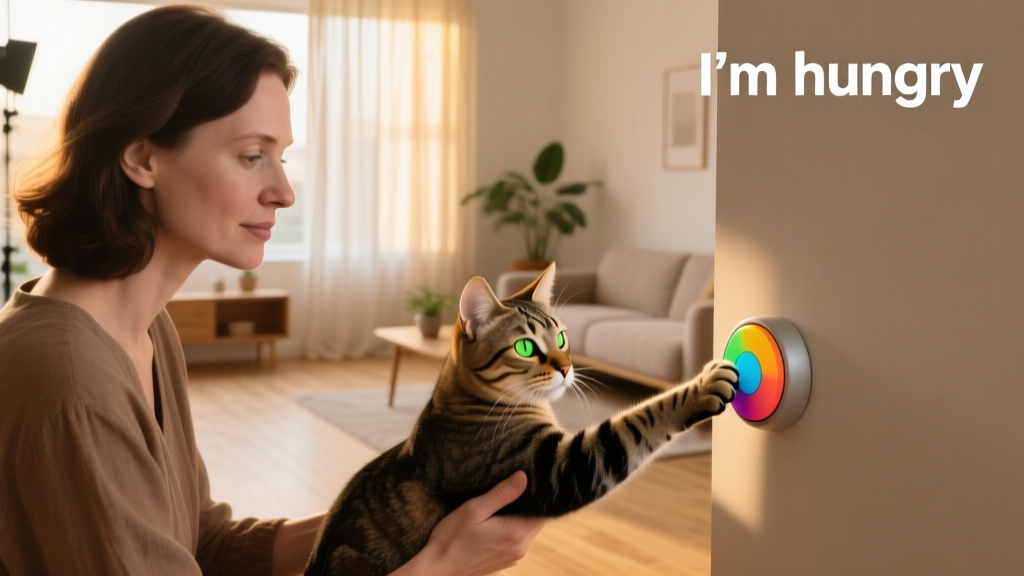
Cat buttons—also called talking pet buttons—are interactive, recordable devices that play back a pre-recorded word or phrase when pressed by your cat. Each button holds one clear, concise word like “food,” “play,” or “love you!” With practice, cats can even combine buttons to form phrases.
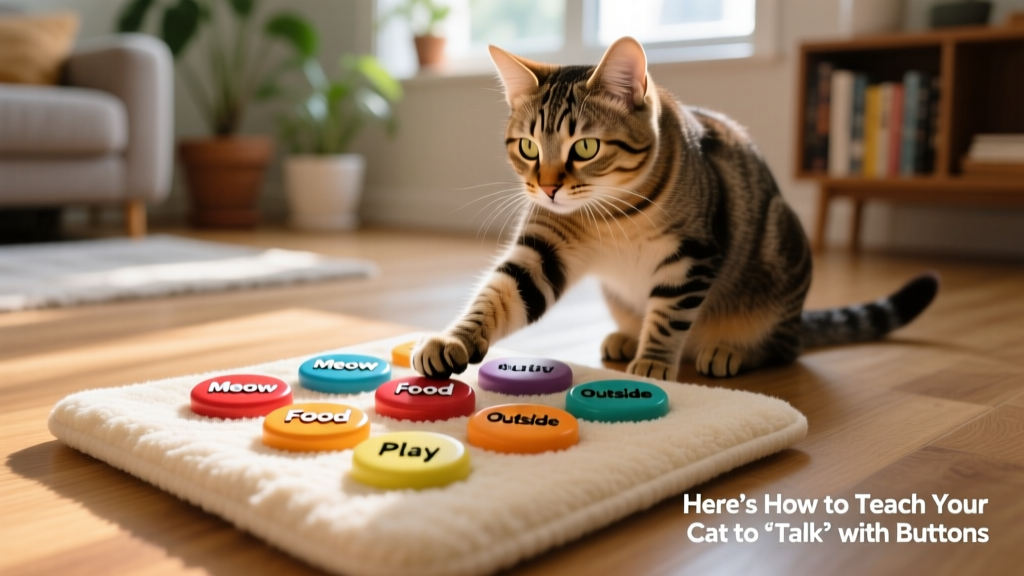
For example, Justin Bieber the Cat frequently presses “food” and “birds” together—because, as his caregiver Sarah Baker explains, a bird outside the window loves to taunt him. (And yes, he’d very much like to enjoy it for dinner.)
Through consistent modeling and reinforcement, cats learn to use these buttons intentionally—to express wants, needs, feelings, questions, and observations about their world.
“If you say, ‘dinner time!’ and then present food consistently, your cat learns that that particular phrase means ‘food,’” explains Brittany Thomas, LVT, IAABC-CABC, KPA-CTP, licensed veterinary technician and animal behavior consultant at Companion Pet Behavior Solutions in Jeffersontown, Kentucky. “It’s the same principle as shaking a treat bag: Your cat comes running because they’ve associated that sound with a specific outcome—a treat.”
How Do I Teach My Cat to Use Talking Pet Buttons?
Ready to get started? Follow these four foundational steps:
1. Choose the right buttons for you and your cat
“Any recordable buttons will work—as long as you can clearly record words onto them,” says Baker. “It comes down to preference. I like smaller buttons because you can fit more on the floor.” Justin Bieber uses buttons mounted on foam hex-tiles from FurPetVo. Stella—the first widely known dog to use talking buttons—uses Hunger for Words (created by her speech-language pathologist mom, Christina Hunger). All brands—including those marketed for dogs—work equally well for cats.
2. Start with recording a few words your cat already knows
Make a short list of things your cat truly enjoys: food, catnip, toys, brushing, or a favorite spot on the couch. Then, rank your cat’s familiarity with each associated word on a scale of one to five—and begin with the highest-rated item first.
Record only one word per button, and keep words short and clear: use “food” instead of “dinner time,” or “play” instead of “let’s play now.”
Remember: This isn’t a competition. Begin with just two or three buttons.
“People often get hung up on how many buttons their cat uses,” Baker says. “If your cat communicates successfully with just two or three, that’s often all you need. The number of buttons is not an indicator of progress—or success.”
3. Model the words for your cat
Modeling means using the buttons yourself—in context—throughout the day. For instance, if you’ve recorded “play,” press the button and immediately engage your cat in play for three to five seconds with a wand toy. Stop, press the button again, and play once more.
“Get in the habit of using the buttons all the time,” Baker adds. “Even while doing chores around the house, pause and model the buttons. The more consistently you reinforce them, the faster your cat will make the connection.”
4. Respond thoughtfully when buttons are explored or pressed
In the early stages, respond every time your cat interacts with a button—even just sniffing or touching it. Your response teaches meaning.
- If your cat explores but doesn’t press: If you see them sniffing the “play” button, press it for them—and then begin playtime.
- If your cat presses the button: Press “play,” and immediately play with them.
Important: Avoid giving treats as a reward for pressing buttons. Doing so can confuse your cat—they may start associating button presses with treats rather than the intended word or request. Instead, deliver exactly what the word represents: food for “food,” play for “play,” affection for “pets.”
Cat Button Training Tips
- Say “no” as needed. Record a “no” button to acknowledge your cat’s request—even when the answer is “not right now.” If your cat presses “play” but you’re unavailable, press “no” calmly. This honors their voice while setting gentle boundaries—and actually deepens mutual understanding.
- Don’t force it. Let your cat choose when—and how—to engage. Never pick up their paw and press a button for them. Aim for learner-driven communication, not demand-based interaction. This keeps the experience joyful and low-pressure for both of you.
- Keep sessions short. Cats have brief attention spans. Stick to training bursts of about five minutes—multiple times a day if possible—but always end on a positive note.
- Prioritize natural communication cues. Speech buttons are tools to enhance—not replace—your cat’s innate language. Always observe body language: A sideways arch and flattened ears signal fear or anger; head-butting, slow blinks, or direct eye contact often mean “I’m open to connection.” Respond accordingly.
- Embrace unexpected combinations. Your cat may pair words in surprising ways—like “food” + “bird” or “play” + “outside.” At first, it might sound odd. But if they repeat the same sequence consistently, they’re likely trying to tell you something. Stay curious, listen closely, and give their message space to unfold.
What Are the Benefits of Cat Buttons?
With this extra form of communication, cat buttons can…
- Allow your cat to express wishes and needs clearly—reducing frustration for both of you;
- Strengthen emotional connection through shared intention and responsive interaction;
- Provide daily mental enrichment that supports cognitive health and reduces boredom-related behaviors;
- Help caregivers notice subtle shifts in mood or routine—potentially flagging early signs of discomfort or stress;
- Deepen empathy and understanding by inviting you into your cat’s perspective—on their terms, at their pace.